Alongside file exchange over SFTP, Payreq Delivery offers a JSON-REST API for managing Contacts, submitting and tracking processing Jobs, and checking delivery outcomes programmatically. See Payreq Interface Specification for how this fits alongside the SFTP integration method.
Who this is for
This is technical reference material for a mailhouse's development team, or a sender's own technical/integration contact building an automated pipeline. If you're sending documents manually, you don't need the API, see Uploading Mail for the console method instead, or Uploading Mail via SFTP for the batch file-exchange method the API is often used alongside.
What you can do with the API
At a high level, the API covers:
- Manage Contacts — add or replace your Contact list, either directly or as a background job for larger lists.
- Submit and track Jobs — tell Payreq a Bill file is ready for processing, then check its status. See What are Jobs? and Understanding Job Statuses and Errors for what a Job's status means, whether you submitted it via the console, SFTP, or the API.
- Check delivery outcomes — see where a Job's documents were delivered by channel, and look up documents that couldn't be delivered.
- Check registration status — confirm whether a specific account is actively registered before assuming a delivery failure is a registration problem.
- List accessible accounts — see which Delivery accounts your API credentials can access.
Authentication
The API uses token-based authentication. Trade a username and password for a token, then include that token on every subsequent call. Token lifetime is configured by the service and is not guaranteed to be exactly 15 minutes. Request a fresh token when the current one expires rather than hard-coding a fixed lifetime.
Getting API access
API access is set up through an API user account in your Payreq Delivery account, managed the same way as any other user under Account Permissions. See Managing Users in Payreq Delivery for how user access works generally, including a note on mailhouse/partner API users.
Inviting an API user
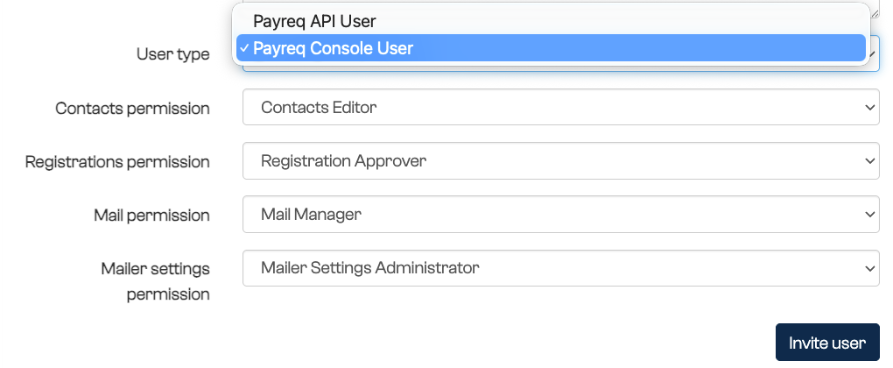
When you invite a user to your account, select API user from the user type dropdown, rather than a standard console user.
A quirk to expect when they set their password
The invited API user receives a setup email to create their password. After they do, they're redirected into the Payreq Delivery console and shown an error, because API users aren't permitted to access the console itself.
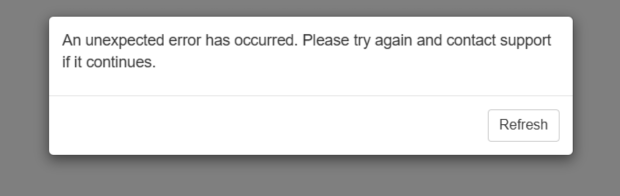
This looks like the password setup failed, but it most likely didn't. Seeing this error is expected for an API-only user and doesn't mean anything went wrong. Rather than resetting the password again, confirm it by retrieving a token with the new credentials.
Notification preferences need a console user too
Because an API user can't log into the console, they also can't set their own User Notification preferences, those are configured per user from inside the console. If your only credential with an organisation is an API user, nobody is notified when something needs attention.
We strongly recommend every organisation using an API user also maintains at least one standard console user, with notifications configured to cover Job failures, Undeliverable Mail, and Mail placed into Error status, and with someone able to log in to view statuses, review error messages, and access Settings when something needs action. See User Notifications.
Known quirks while integrating
Use the United States spelling in the header. The header name is Authorization, not Authorisation. Australian spelling elsewhere in our documentation does not apply to the header name.
Use the production API address. The production base URL is https://go.payreq.com/api/v2. Do not use go.payreq.localhost if it appears in an older console copy.
Check the response body, not just the HTTP status. An expired or missing token can return HTTP 200 with the actual error inside the body. Treat a 200 response with an unexpected body as a failure.
Full API documentation
API documentation is available under the Payreq API section in Settings, including a link to an OpenAPI (.yaml) schema file. Use the current external API reference supplied by Payreq. If the console copy differs from that reference, shows a localhost address or includes operations that have not been supplied for your integration, contact Payreq before using it.

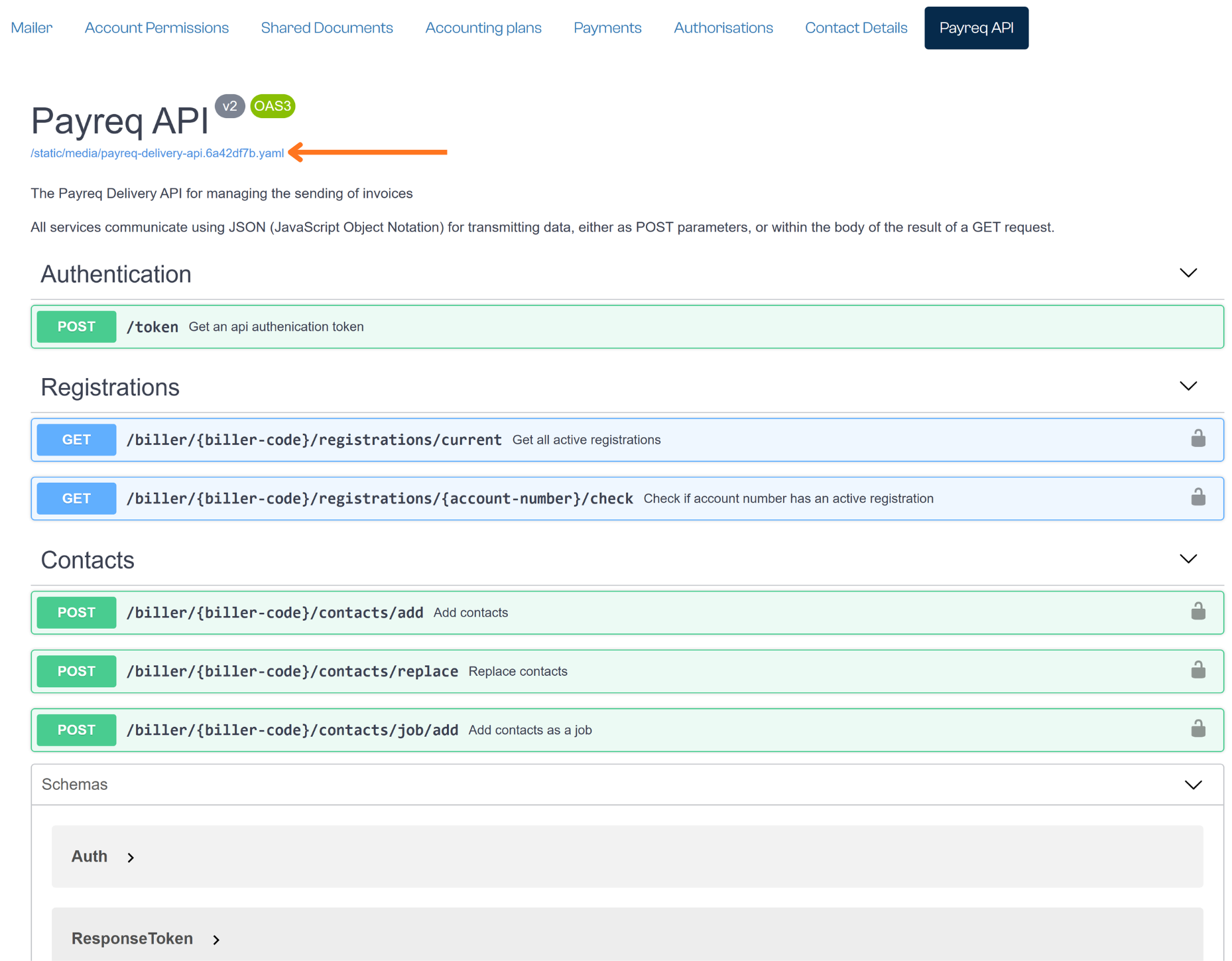
Only a console user can access this area, an API user can't view it themselves, which is another reason to keep at least one console user active on the account (see above).
Getting the full technical reference
If anything in the console-hosted documentation or schema looks inconsistent or unclear, don't guess. Contact your Payreq account or technical support directly to make sure we align with your needs and answer any implementation queries.
Related articles
Was this article helpful?
That’s Great!
Thank you for your feedback
Sorry! We couldn't be helpful
Thank you for your feedback
Feedback sent
We appreciate your effort and will try to fix the article