When the Mail archive is in use, the documents you've sent or actioned are stored there for future reference. The archive gives you a searchable history of what was sent, how, and when, which is useful when you're investigating a customer query about a missing notice.
The archive is also what gives Payreq a fuller record of your Mail, including printed items and records without an active Subscription. Where the archive isn't in use, Payreq only receives Mail items for records that have an active Subscription, and it has limited visibility over items that are printed and posted.
What's in the archive
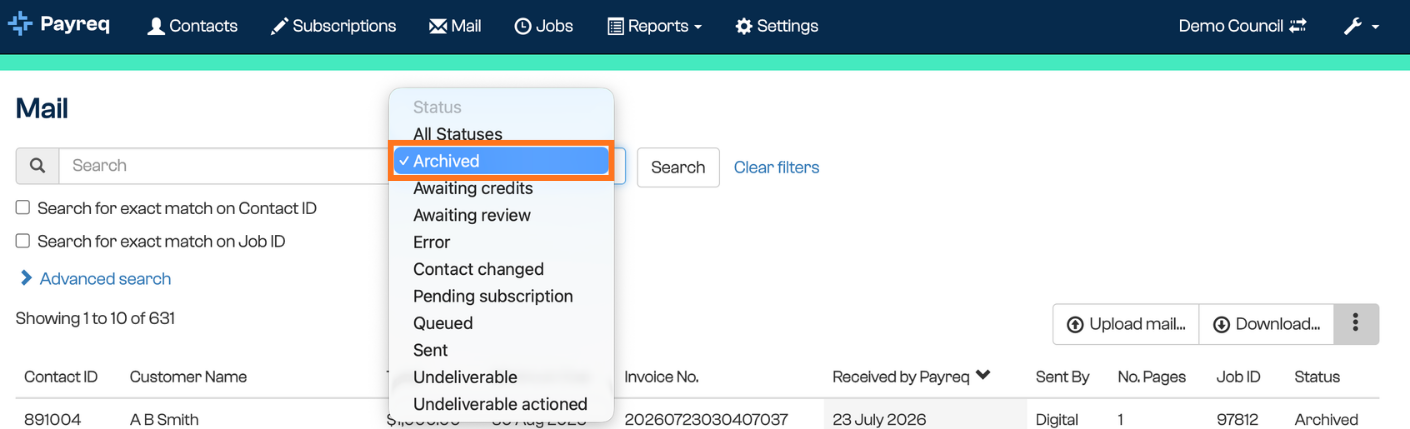
The archive holds Mail that has been sent or actioned (for example, items marked Undeliverable Actioned). For each item you can:
- Search by name, account number, date, or delivery channel
- See the delivery method used (for example email, BPAY View, or fallback print)
- Confirm the Subscription status at the time of delivery
It also holds Mail that was sent when there was no active Subscription. That Mail is archived rather than lost, and if the customer later registers, it appears in their Payreq Mailbox and its status updates to Sent (via archive).
Accessing the archive
- Log in to Payreq Delivery at go.payreq.com.
- Select Archive in the top menu.
- Use the filters to search by account number or BVRN, customer name, document type (for example Rates or Water), delivery type (for example email, BPAY View, or fallback print), or date range.
- Select any result to view the document's metadata, delivery method, and read-status where available.
Common uses
The archive is helpful when you need to:
- Investigate whether a document was sent
- Confirm the delivery method (digital or print)
- View the Subscription status at the time of delivery
- Export document records for reporting or audit
It's a useful first stop when responding to customer service queries about notices customers say they didn't receive.
Was this article helpful?
That’s Great!
Thank you for your feedback
Sorry! We couldn't be helpful
Thank you for your feedback
Feedback sent
We appreciate your effort and will try to fix the article