Bill Fields determine what information is captured and displayed against documents in Payreq Delivery. They are a subset of the Mail Details, and are separate from Contact Fields.
This document-specific information can include additional account information, or values that may change from one document to the next, even when the Contact, account, or customer details stay the same. Bill Fields are commonly used where a value needs to be displayed in Payreq Delivery, used in a template, or made available as part of the document record.
Example
In this example, the Account Number is the mandatory unique identifier (the Contact ID), and the first two Bill Fields capture additional key reference details shown on the bill.
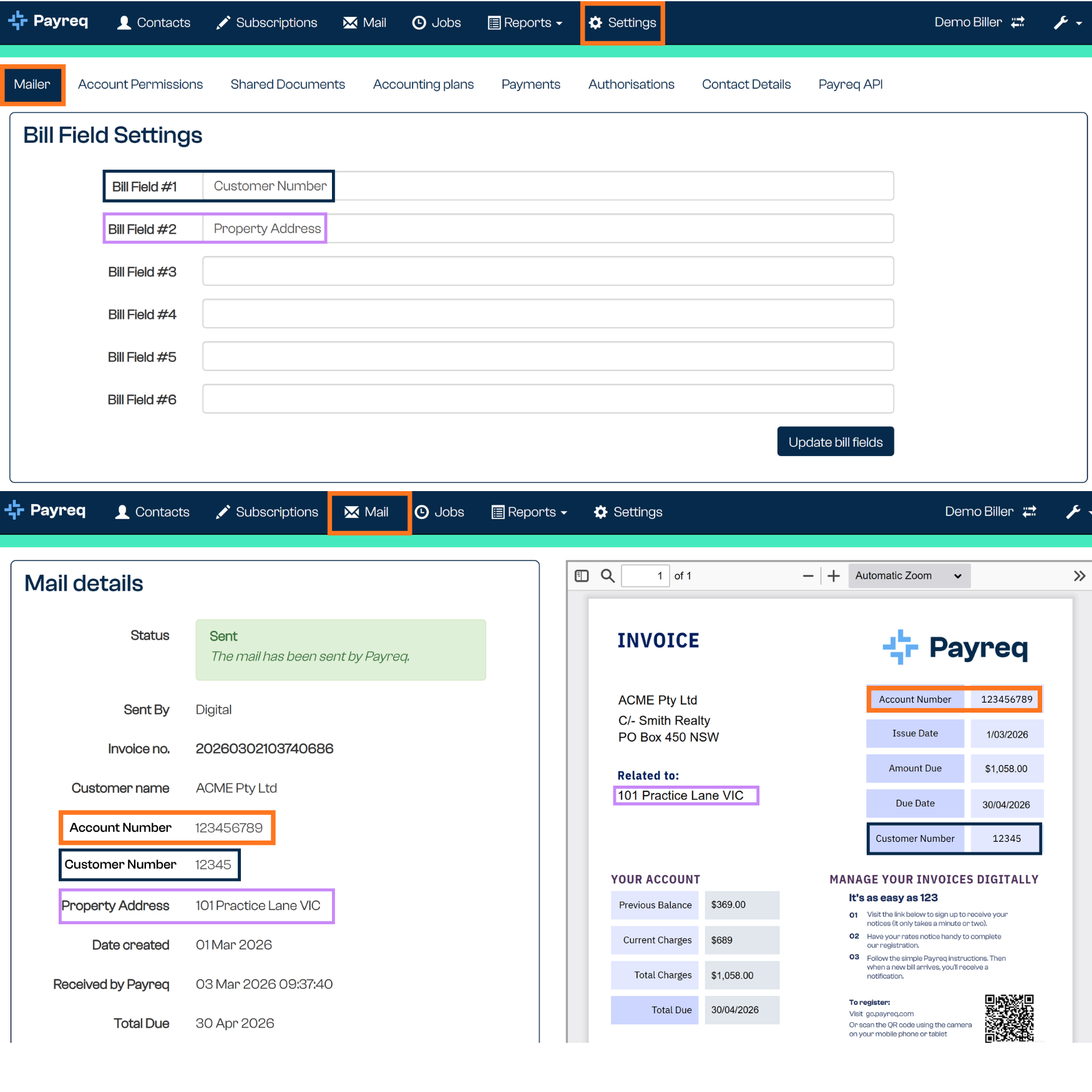
Bill Field #1 is the Customer Number. This is the payment reference shown on the bill. It may differ from the Contact ID, depending on the sender's configuration and payment requirements.
Bill Field #2 is the Property Address. This is the property or service address printed on the bill. It's useful for councils, utilities, and other senders where the customer recognises the bill by the property or service location.
Important notes
- The Contact ID must still be supplied for each bill, so Payreq can match the document to the correct Contact.
- Bill Fields are not a substitute for maintaining your Contacts file. If a value is used to identify or authenticate the customer, configure and supply it through Contact Fields.
- Use Bill Fields for information that appears on the bill itself, such as payment references, property addresses, document references, due dates, and bill-specific customer display names.
- Where you use a PDF template or a manual email template, use the same field labels consistently across the Bills file, the PDF parsing rules, and the email template setup.
Was this article helpful?
That’s Great!
Thank you for your feedback
Sorry! We couldn't be helpful
Thank you for your feedback
Feedback sent
We appreciate your effort and will try to fix the article