Shared Documents gives you a place to share files securely within Payreq Delivery.
Uploading a file
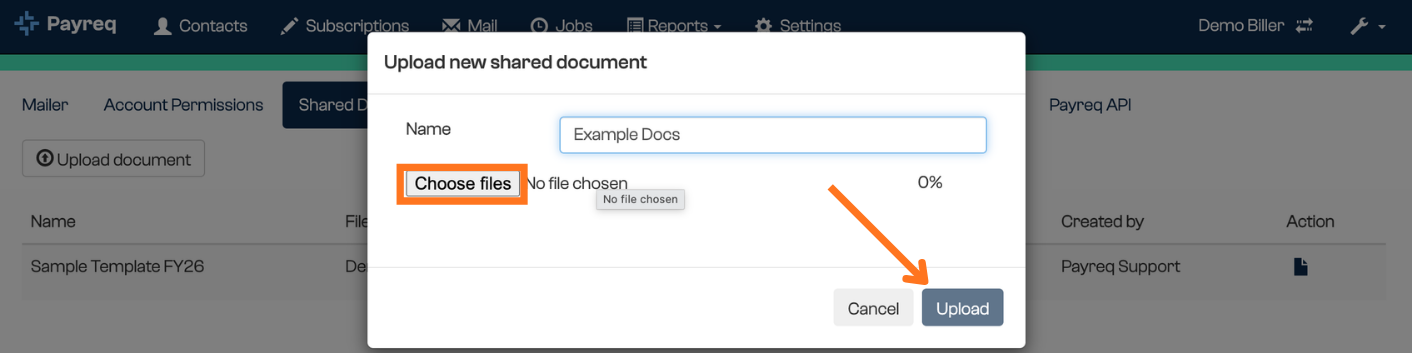
- Select Upload Document.
- Select Choose file and select the file you want to upload.
- Enter a name for the record. Both this name and the file name are displayed in the list.
- Select Upload.
Retrieving a file
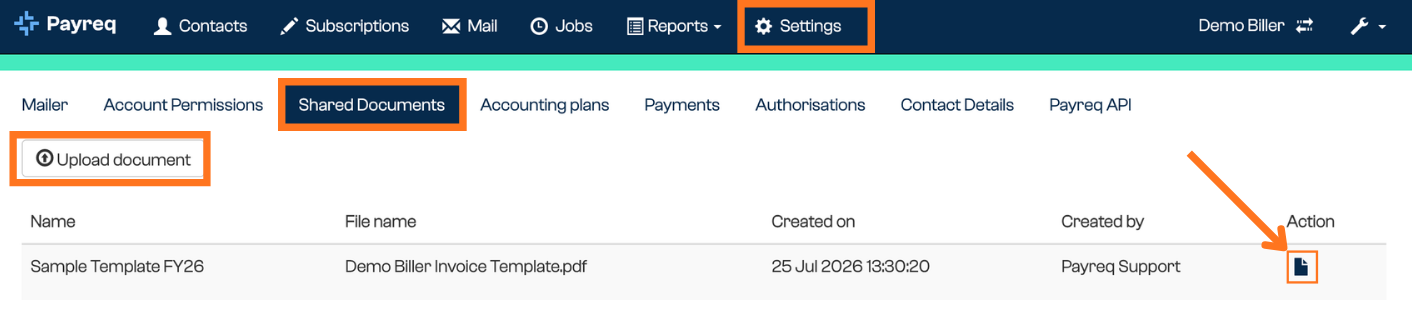
- Select the document icon at the far right of the entry.
Things to note
- Upload one file at a time.
- Word (
.doc,.docx) and PowerPoint (.ppt,.pptx) files can't be uploaded.
Was this article helpful?
That’s Great!
Thank you for your feedback
Sorry! We couldn't be helpful
Thank you for your feedback
Feedback sent
We appreciate your effort and will try to fix the article