A pending failed Subscription is a customer's registration request that couldn't be automatically matched to your Contact data, and has been held for you to review, rather than being rejected outright.
When a Subscription becomes pending failed
When a customer tries to register for digital delivery (for example email, BPAY View, or Payreq Mailbox), Payreq checks the details they entered against your uploaded Contact data:
- If the details match, the Subscription is approved automatically and becomes active.
- If the details don't match, the request is treated as failed. This is most often caused by the customer mistyping an authentication field, such as their name as it appears on the bill.
What happens to a failed request depends on the Review Failed Registrations Mailer Option:
- If it's enabled, the failed request is held in a Pending Failed queue in the Subscriptions section, so you can review it and decide whether to approve or reject it.
- If it's not enabled, failed requests are rejected automatically and aren't available for review.
Reviewing pending failed Subscriptions
- Log in to your Payreq Delivery account.
- Select Subscriptions from the top menu.
- Select Pending Failed.
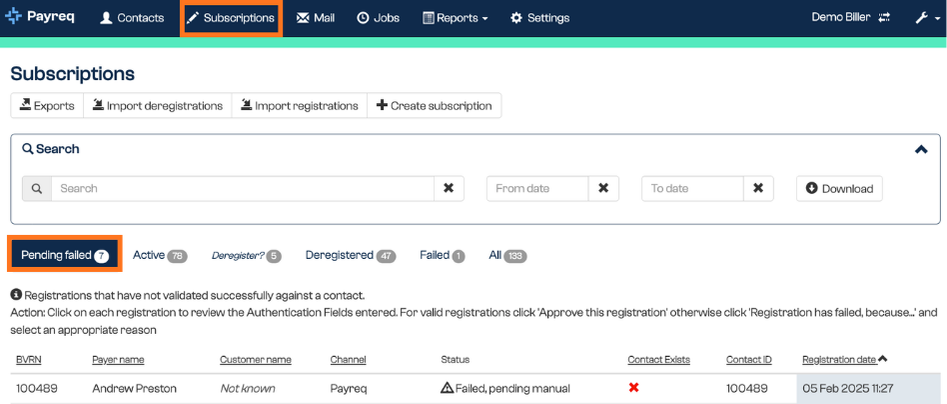
- You'll see a list of failed registrations. Review each one against your internal records:
- If you can confirm the customer's identity and validate their details, select Approve this registration.
- If the request is invalid or can't be verified, select Registration has failed because and choose the reason.
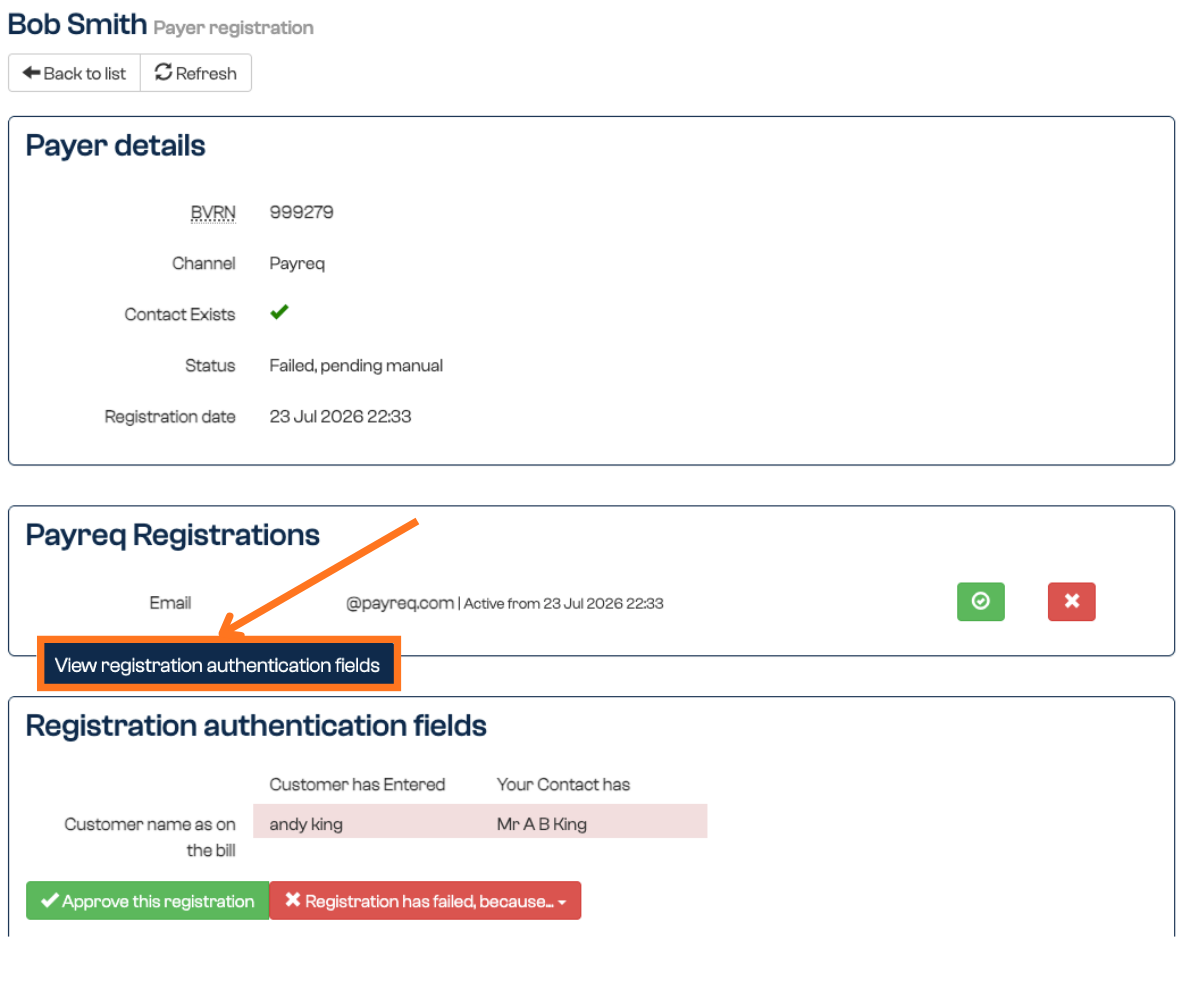
Rejecting a pending Subscription doesn't prevent the customer from trying to register again.
Why review failed registrations?
Reviewing failed registrations gives you an extra level of control over who receives your documents through Payreq. It helps make sure customers don't miss out on digital delivery because of a minor data mismatch, which is especially useful during high-volume registration periods or when moving customers from paper to digital.
The Review Failed Registrations setting is turned on under your Mailer options in Settings.
Related Payreq Mailbox guides
Share this guide with customers who need help checking the details they entered in Payreq Mailbox. Continue to review your Pending Failed queue in Payreq Delivery as described above.
Was this article helpful?
That’s Great!
Thank you for your feedback
Sorry! We couldn't be helpful
Thank you for your feedback
Feedback sent
We appreciate your effort and will try to fix the article