The Subscriptions tab in Payreq Delivery allows you to view and download information about digital delivery subscriptions.
There are two main download options available from this page:
- Download
- Export
Although these options may appear similar, they are used for different purposes.
Downloading Subscription Details
The Download option provides detailed subscription information, including details provided by the customer when they registered.
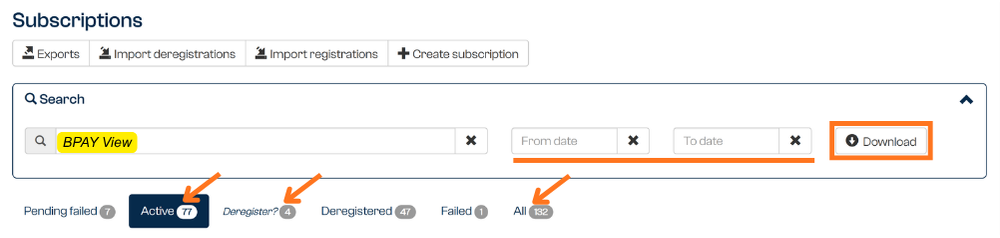
This option allows you to search and filter subscriptions by status, including:
- Account number
- Name
- Delivery channel
- Date range
- Status (e.g. active / deregistered / all)
This option is useful when you need to review subscription-level information, including registration dates, deregistration dates, customer-provided details, or subscription statuses.
Because this download contains more detailed information, it may take longer to prepare than the current registration snapshot.
Exporting a Current Registration Snapshot
The Export button provides a current snapshot of accounts that have at least one active subscription.
This is useful when you want to identify which accounts are currently registered for digital delivery.

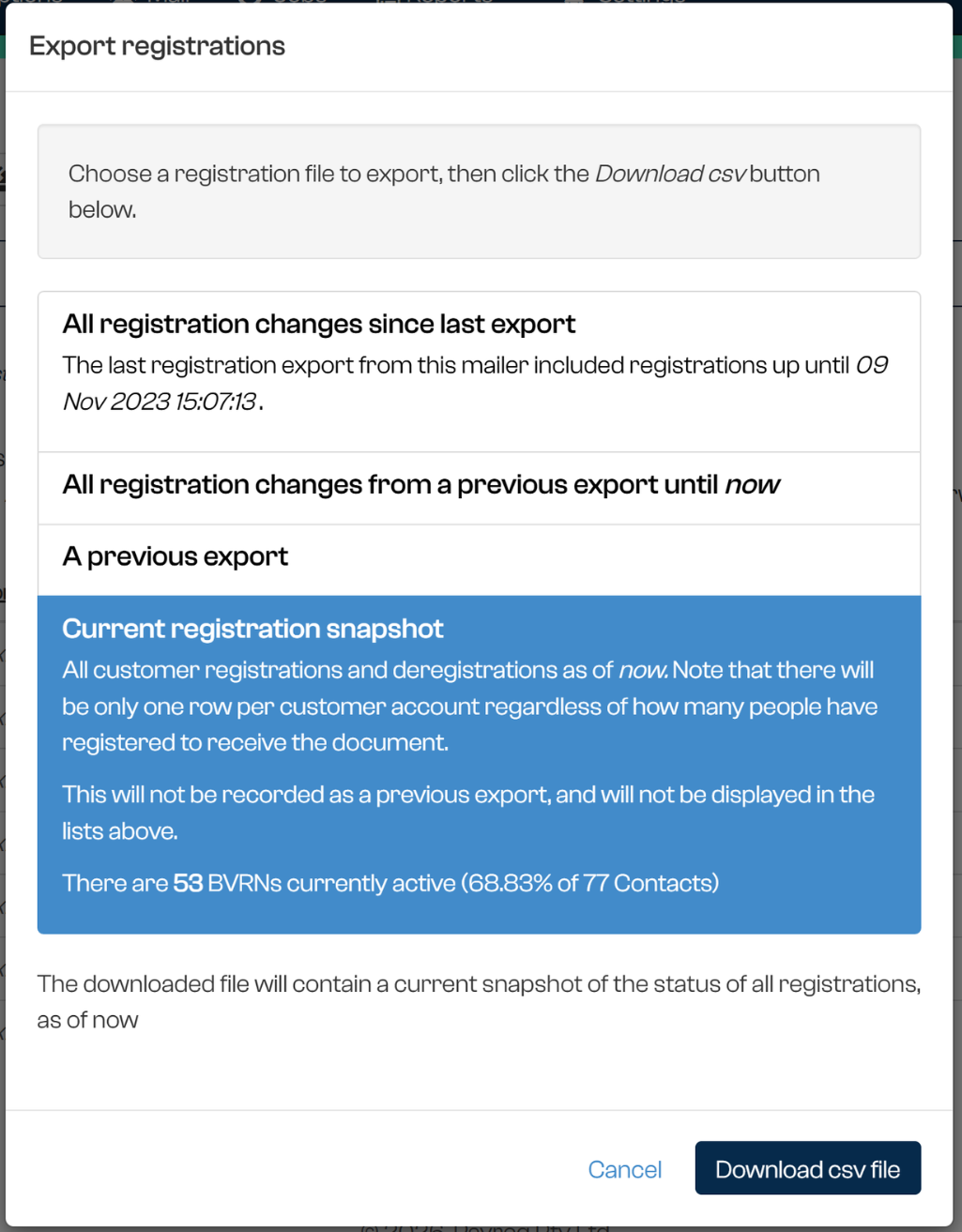
The export provides a quick Yes/No style view of whether an account is digitally registered. It is generally used when you need to know which accounts should be treated as digitally subscribed, rather than reviewing the details of each individual subscription.
When you select Export, Payreq will prepare a Current Registration Snapshot. This snapshot can also show a summary of the number of accounts currently registered for digital delivery, including the percentage of registered accounts compared with the total number of contacts.
Choosing Between Export and Download
Use Export when you want to identify which accounts currently have at least one active subscription.
Use Download when you need a detailed list of individual subscriptions and their associated registration information.
| Option | Best used for | Includes |
|---|---|---|
| Export | Identifying accounts currently registered for digital delivery | Current registration snapshot |
| Download | Reviewing detailed subscription records | Individual subscriptions, statuses, registration details and date information |
Filtering Subscription Downloads
When using Download, you can apply filters before generating the file.
If you only want to download currently active subscriptions, select a date range and choose the Active filter.
If you select All, the download may include subscriptions across multiple statuses, including Active, Deregistered and Failed subscriptions.
Understanding Date Range Searches
When downloading subscription data by date range, it is important to understand how deregistered subscriptions are handled.
For deregistered subscriptions, Payreq may record both:
- the original registration date; and
- the deregistration date.
When a date range is applied, Payreq may check both dates. This means a deregistered subscription can appear in a download even if the original registration date is outside the selected date range, provided the deregistration date falls within the selected range.
For example, if a subscription was registered in May 2024 but deregistered between 22 and 23 September 2025, it may appear in a download for 22 to 23 September 2025 because the deregistration occurred during that period.
Active Subscriptions and Channel Counts
The number of active subscriptions may not always match the number of digitally registered accounts. This is because a single account may be registered for more than one digital delivery channel. For example, one account may have both an email subscription and a BPAY View subscription.
To view a breakdown of active registrations by delivery channel, use the Registration Summary report.
Was this article helpful?
That’s Great!
Thank you for your feedback
Sorry! We couldn't be helpful
Thank you for your feedback
Feedback sent
We appreciate your effort and will try to fix the article